
Set it up in minutes. It gets better every week.
No tech skills and no sales call. Phoneman learns your business from your website, answers every call, and asks you when it doesn’t know something.
Four steps, about 3 minutes.
- 01
Find your business.
Type your business name. Phoneman reads your website and fills in your hours, services and service area for you to check.
- 02
Pick a voice and a greeting.
Hear each voice before you choose. The greeting tells callers they’re talking to an AI assistant.
- 03
Get a number and make a test call.
Call it yourself and watch the write-up land in your inbox.
- 04
Forward your calls when you’re ready.
Keep your existing number. Forward it to Phoneman only when you’re happy.
What happens when someone calls.
- 01
Greets
Answers with your greeting, in the voice you picked, and says it’s an AI assistant.
- 02
Understands
Works out who is calling and what they need.
- 03
Answers or takes a message
Answers questions you’ve approved. For anything else, takes the details you need.
- 04
Writes it up
Who called, why, what they need, with the caller’s own words one tap away.
- 05
Sorts it
Urgent, Important, Normal or Low, with a category and suggested next steps.
- 06
Tells you
The call lands in your inbox, urgent ones at the top.
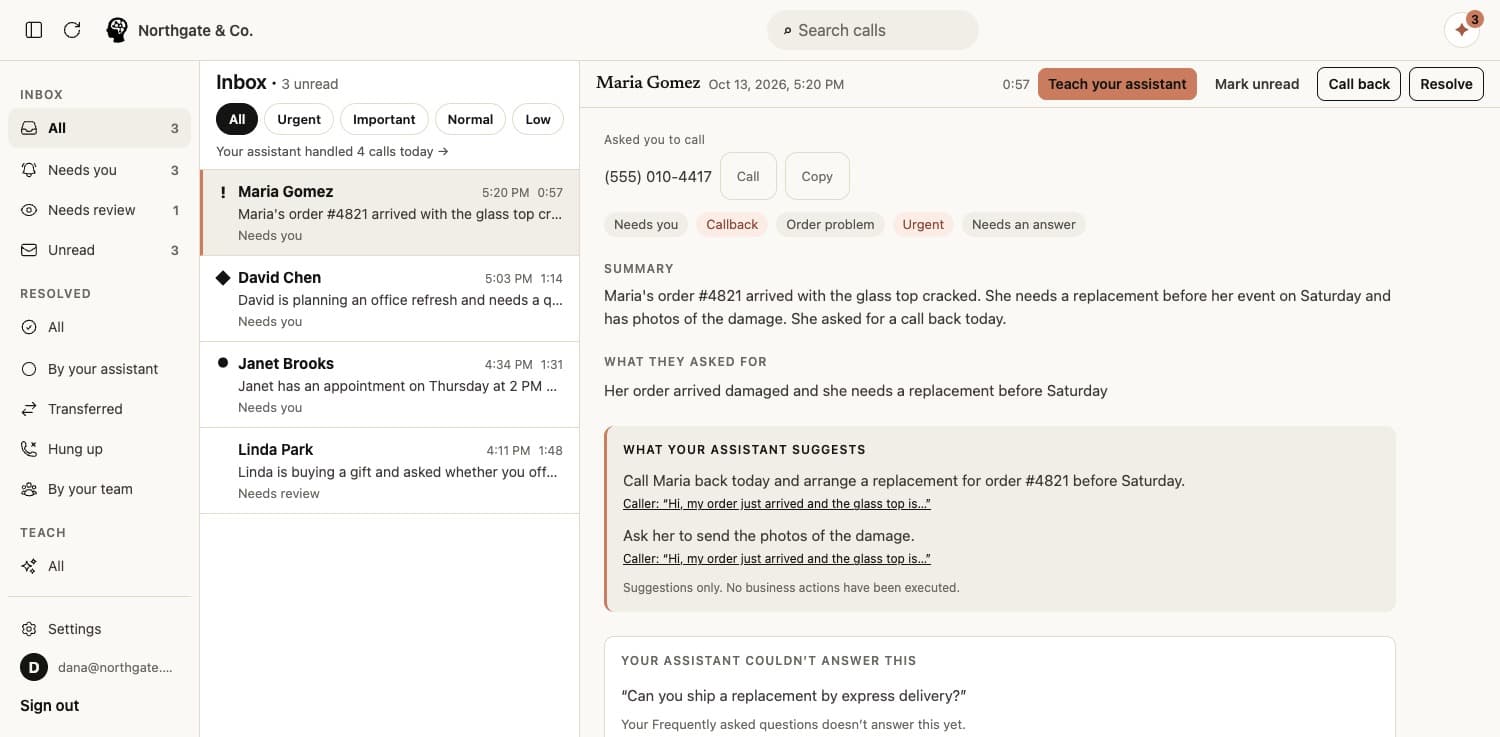
It learns like a new hire.
When a caller asks something it can’t answer, it takes a message and adds the question to your list, with drafted answers. You pick one, edit it, or write your own. Nothing is added until you approve it. You can also have it re-read your website or suggest the questions your callers usually ask.
- 01 · A new question
A caller asks something it doesn’t know.
Do you work on Saturdays?
It takes a message, and adds the question to your list.
- 02 · You answer once
It drafts an answer. You approve it in one tap.
Yes, 9 to 2, by appointment.
Pick a draft, edit it, or write your own. Nothing is added until you approve it.
- 03 · It gets it right
The next caller gets the right answer.
Next Saturday caller is told 9 to 2, by appointment.
Like a new hire who never needs telling twice.
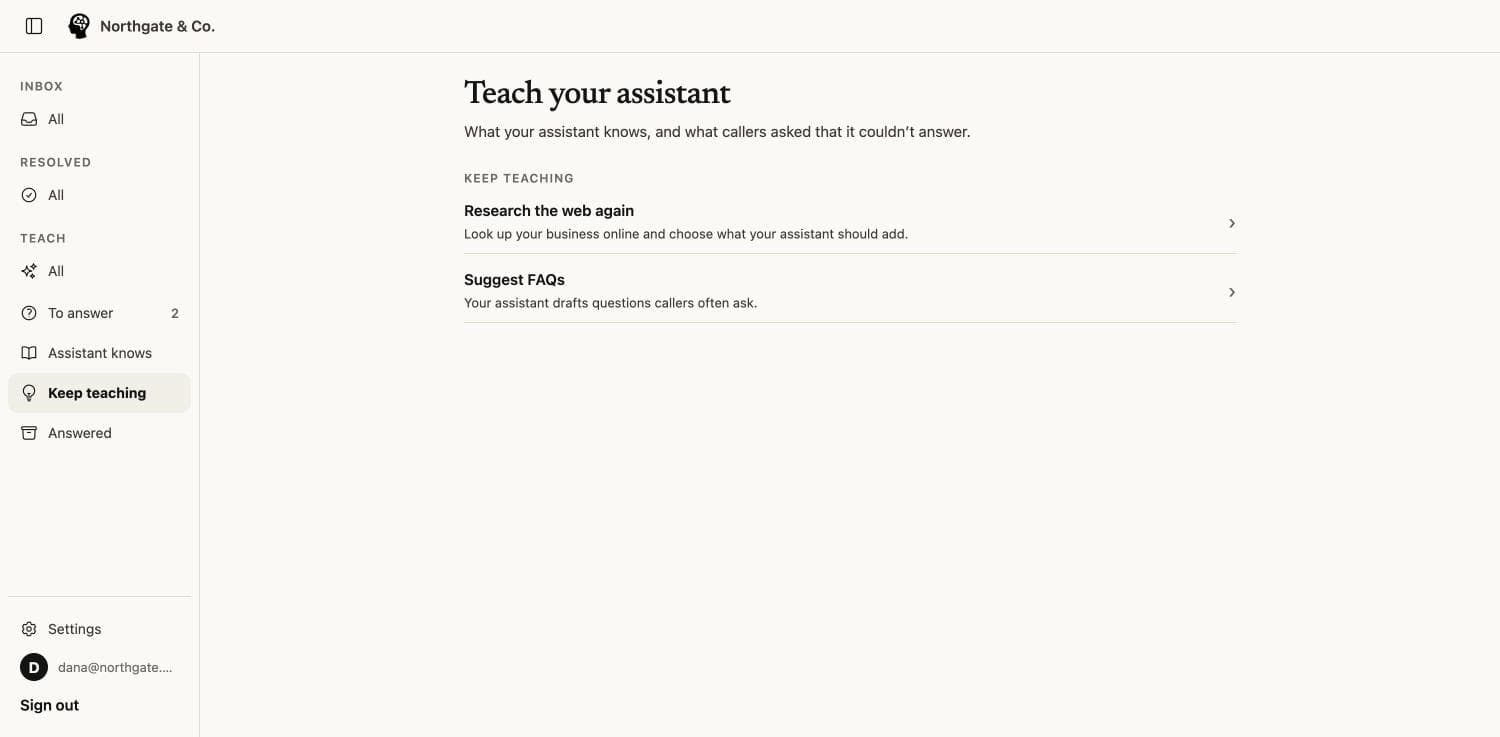
It only puts a caller through when they agree.
Transfers are off until you turn them on. Then you choose the number it transfers to and the hours it may do it.
When a caller needs a person, it offers to connect them, and only connects after the caller says yes. Outside your transfer hours it takes a message instead.
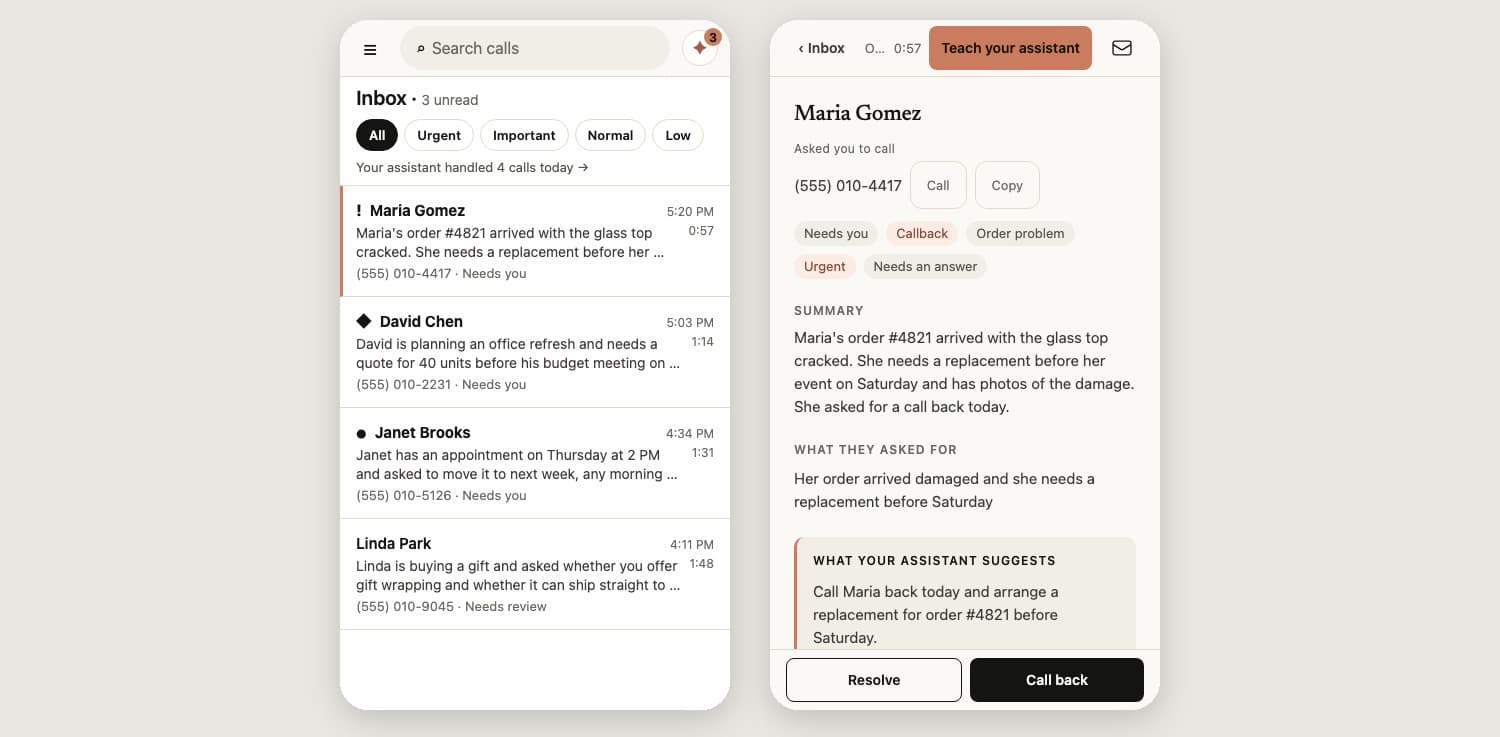
Every call in one place, on your phone or computer.
Each call arrives written up and sorted, urgent ones first. Resolve a call when it’s handled, search past calls, and read exactly what the caller said.
Phoneman works in any phone or desktop browser today. iPhone and Android apps are on the way.
No porting. Nothing changes until you forward.
Phoneman gives you a number to test with. When you’re happy, you forward your existing business number to it using your phone carrier’s call forwarding.
You can forward every call, or only the ones you don’t pick up. Stop forwarding any time and your phone works exactly as before.
It answers. You decide.
Book jobs or appointments, yet.
It takes the request with the details you need. Booking is coming soon.
Make pricing decisions.
It shares the prices you’ve told it, and takes the details for anything more.
Act as an emergency line.
It marks urgent calls so you see them first, but it isn’t an emergency service.
Make things up.
If it doesn’t know, it says so, takes a message, and asks you for the answer.
Coming soon: outbound calls, text the caller, booking, connectors, team support.
Set it up in 3 minutes.
Free to start, no card needed. Forward your calls only when you’re happy.